AI Email Drafting Workflow for Lawyers
Draft clearer client emails, faster — without losing control over tone or legal meaning. Many lawyers already use AI to draft emails. The problem is not the draft. It’s what happens after.
Without structure, AI-generated emails often become: unclear, overly complex, or inconsistent with the intended message. This workflow fixes that.
Too Complex
AI outputs often sound overly formal or difficult for clients to understand.
Unclear Message
The key legal point is lost in structure or wording.
Inconsistent Versions
Edits are made but not properly reflected in the final email.
Hidden Risk
Small tone or wording issues can create misunderstanding or exposure.
The issue is not AI. It’s the workflow around it.
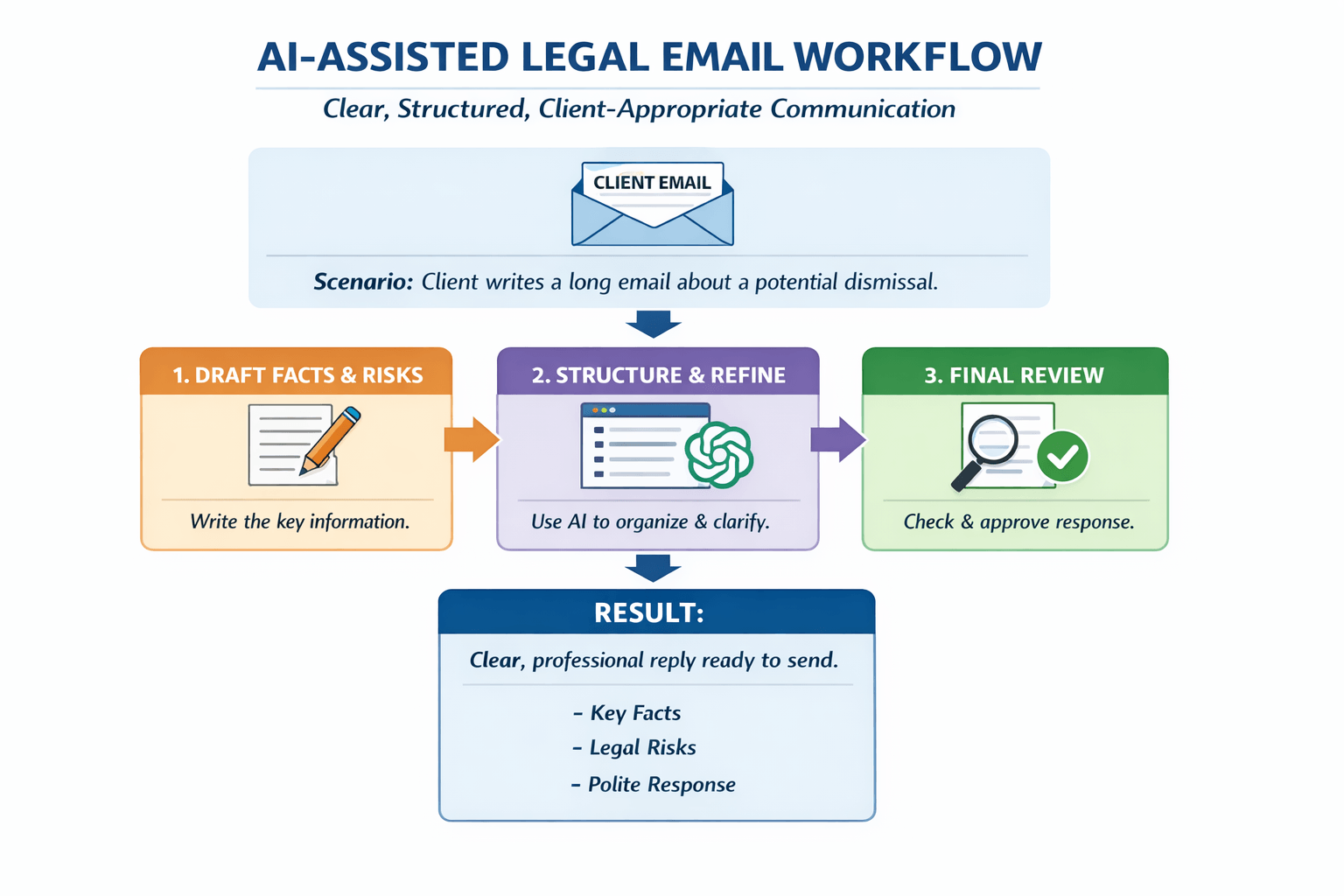
Client Email Drafting Workflow
This workflow shows how AI is used inside a controlled structure. The goal is not to generate emails quickly, but to ensure that the final message is clear, accurate, and appropriate for the client.
1. Human Draft
Start with your own draft. Define the legal message, key point, and intended outcome. AI is not used at this stage.
2. AI Refinement
Use AI to improve structure, clarity, and flow while maintaining the original legal intent.
3. Controlled Simplification
Adjust tone and complexity depending on the client. Ensure the message is clear and appropriate.
4. Final Human Review
Review and refine the final version. Confirm accuracy, tone, and alignment with legal intent.
AI supports the process — but the lawyer remains fully responsible for the final output.
Before and After: Client Email Drafting
The difference is not in using AI — it’s in how it is used. Without structure, emails tend to become unclear or overly complex. With a controlled workflow, communication becomes clearer and more effective.
Before
The clause may be interpreted as allowing termination under certain circumstances, however this would depend on the specific factual matrix and whether the relevant conditions have been satisfied, which would need to be assessed in light of the applicable provisions.
After
The clause may allow termination in some situations, but this depends on whether the conditions are met. We would need to review the specific facts to confirm this.
Typical Issues
Overly complex language, unclear structure, and tone that is difficult for clients to follow — especially for non-native English speakers.
Improved Outcome
Clear, structured communication that maintains legal meaning while making the message easier to understand.
The goal is not simplification alone — it is clarity without loss of legal meaning.
Work on a Real Client Email
The best way to understand this workflow is to apply it to your own work. Bring a real client email — draft or final — and we will improve it together using a structured AI workflow.
Bring Your Own Example
A client email, clause explanation, or internal message you are working on.
Apply the Workflow
We go step-by-step through the drafting process using the Human → AI → Human model.
Improve Clarity and Tone
Refine structure, tone, and language so the message is clear and appropriate for the client.
Leave with a Usable Result
You finish with a version you can actually use — not just an example.
Practical, focused, and directly applicable to your daily legal work.
(All trademarks mentioned are the property of their respective owners. This website is not officially affiliated with any of the organisations listed.)
🔐 Legal notice: This content is intended solely for educational and language-learning purposes. It does not constitute legal advice nor does it replace the professional judgment of a qualified lawyer. The purpose is to support the development of English communication skills and the ethical use of technological tools within a legal context.
